What Leaving Soon, Limited Release, and Rotating Library Labels Mean on OTT Platforms
 0
0
 0
0
A movie or series in your watchlist may suddenly display a notice such as “Leaving Soon” or “Last day to watch.” Other pages may use phrases such as “Limited Release,” “Limited Time,” or “Rotating Library.” These expressions can look similar, but they do not always mean the same thing.
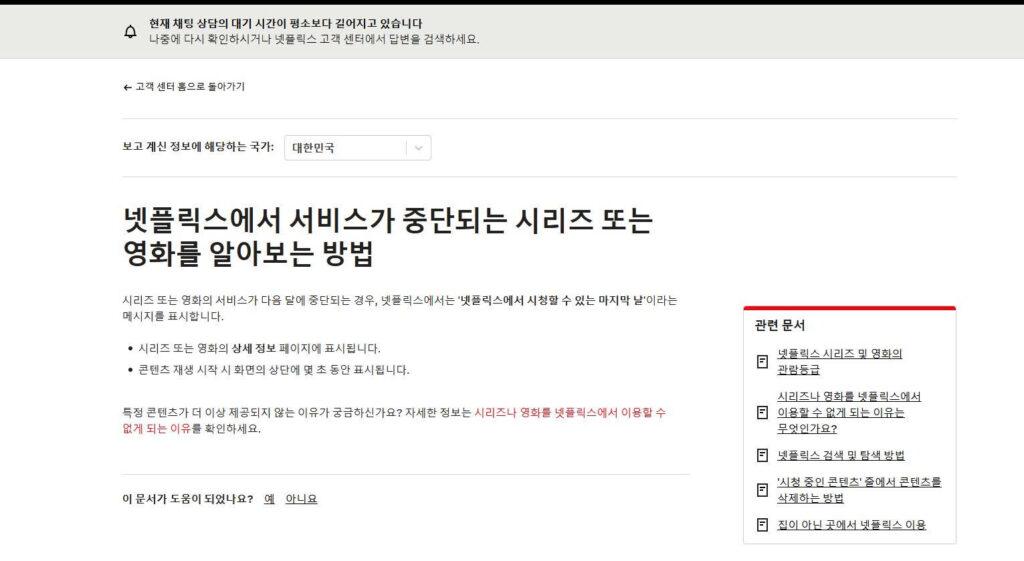
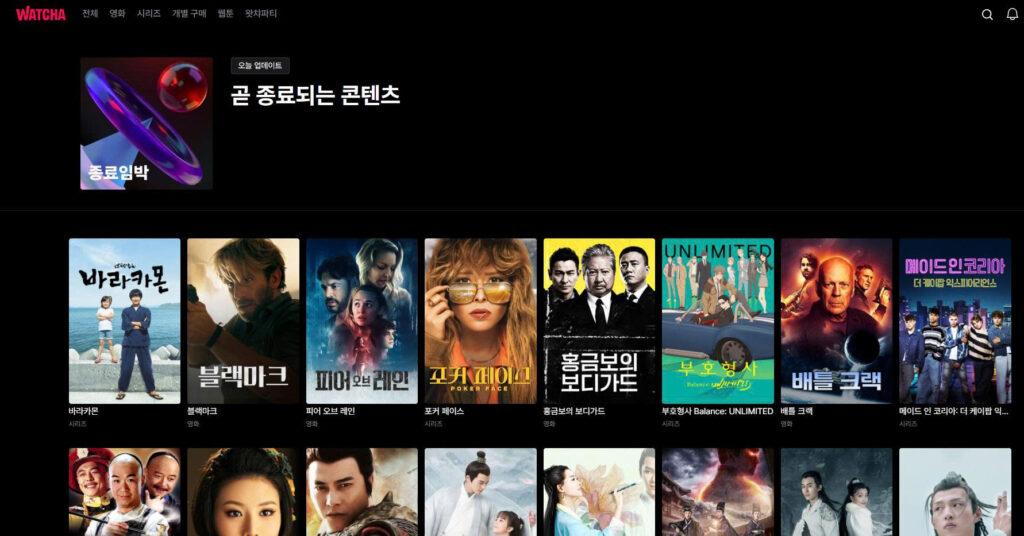
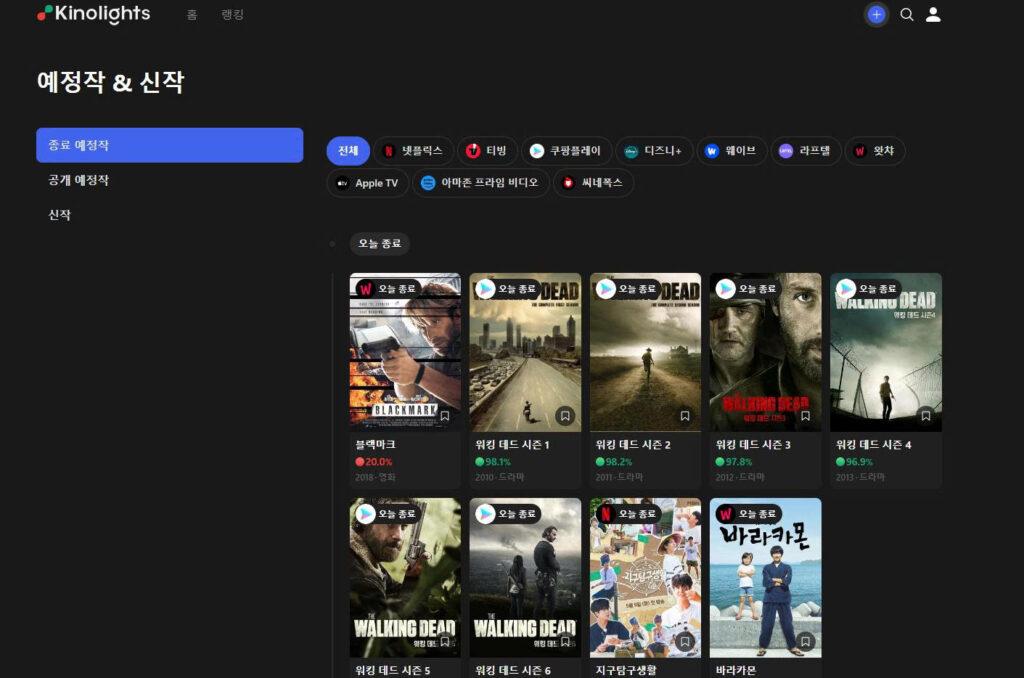
The most important point is that OTT platforms do not use one universal labeling system. Netflix officially displays a “Last day to watch on Netflix” message when a title is scheduled to leave within the next month. WATCHA maintains a Korean collection called “곧 종료되는 콘텐츠”, while Kinolights groups expiring titles under “종료 예정작.” The wording and level of detail therefore depend on the service.
First, Decide Whether the Label Gives You a Real Deadline
Do not assume that every time-related phrase means that the movie will disappear on a fixed date.
| Wording you may see | What it usually tells you | What to do |
|---|---|---|
| Last day to watch / Leaving Soon | The title is scheduled to leave the subscription catalog | Open the title page and look for an exact final viewing date |
| Limited Time / Limited Release | The platform is describing temporary availability, a promotion, or a special release window | Read the platform’s explanation; do not assume a 30- or 60-day period |
| Rotating Library | The subscription catalog changes regularly | Treat this as a general description, not a confirmed deadline for one title |
| Download expires / Expired | The offline copy on your device has a time limit | Check the download timer separately from streaming availability |
A genuine removal notice should be connected to a specific title and, ideally, a date. A general phrase such as “available for a limited time” may indicate urgency, but it is not enough to tell you exactly when access ends.
“Rotating library” is best understood as a description of how OTT catalogs work. Titles enter and leave as rights and programming plans change. It does not mean that every title has a visible countdown.
Where to Find the Exact Last Viewing Date
On Netflix, check the title’s detail page first. When a movie or series is scheduled to leave within the next month, Netflix says the message may appear on that page and briefly at the top of the screen when playback begins.
For WATCHA, open the official “곧 종료되는 콘텐츠” collection and then select the title you are interested in. The collection is useful for discovering titles that should be watched soon, but you should still inspect the individual title page for the most specific notice available.
Korean viewers can also use Kinolights to see expiring titles across services such as Netflix, TVING, Coupang Play, Disney+, Wavve, Laftel, WATCHA, Apple TV, and Prime Video. Its current expiration page allows users to filter by OTT platform, and the app describes its service as providing expiration information by date. Because Kinolights is an external comparison service, use it as an alert and confirm the final status on the OTT platform itself.
When a title is important to you, do not wait until the final evening. The displayed date may not clearly explain the applicable time zone or the exact hour at which playback becomes unavailable.
Why a Title Leaves Even After You Add It to Your Watchlist
Adding a title to a watchlist does not reserve access to it. The watchlist saves a reference to the title while it remains available under your current account, profile, and region.
Netflix explains that licensed movies and series can leave when licensing agreements end. When considering renewal, the company may evaluate whether the rights remain available, how popular the title is in a region, and how much the license costs.
Availability can also differ by country. A studio or distributor may grant rights to one service in Korea and a different service elsewhere. Netflix states that some titles are unavailable in a region because another company holds the local rights or because the required rights are not available.
This is why a saved title can disappear after you travel, change regions, switch profiles, or use a network that appears to be in another country. Netflix also notes that titles can disappear from My List after leaving the service or when the user travels to a region where they are unavailable.
Before concluding that a title has been removed, search for its exact name and check the current profile. Profile maturity settings, language settings, regional rights, and VPN use can all affect whether a title appears in search.
Three Different Expiration Clocks Are Easy to Confuse
One of the most useful distinctions is between subscription availability, offline downloads, and rentals. Each can have a separate deadline.
| Type of access | What expires | What the expiration means |
|---|---|---|
| Subscription catalog | The service’s right to offer the title under your plan | The title can no longer be streamed through that subscription |
| Offline download | The copy stored on your device | You may need to reconnect, renew, or download it again |
| Rental | The temporary rental license | The movie becomes unavailable when the rental window ends |
| Purchase | Long-term access associated with your account | Usually remains available, but the provider may still lose distribution rights in exceptional cases |
Netflix states that downloaded titles expire after a period of time, and some titles also have limits on how many times they can be downloaded during a year. An expired download therefore does not automatically prove that the movie has left the streaming catalog.
Rental periods follow different rules. Apple’s current guidance, for example, gives users 30 days to begin a movie rental and 48 hours to finish after playback starts. That is an Apple rental rule, not a general rule for every OTT service.
Purchased content is also different from a subscription title. Apple says purchased media will generally remain accessible, although content could become unavailable if Apple loses the right to distribute it. This is why users should not treat “included with subscription,” “rent,” and “buy” as interchangeable options.
What to Do When a Title Disappears Without Warning
First, search for the exact title rather than relying on Continue Watching or your saved list. The title may still exist under another season page, language setting, or edition.
Next, check whether the same title appears when using the correct profile and without a VPN. If other people in your area can see the title but you cannot, account language, maturity restrictions, network location, or profile settings may be responsible.
If the title has genuinely left, use Kinolights or another reputable cross-platform search tool to see whether it has moved to another Korean OTT service. Check whether the new option is included with a subscription, available as a rental, or offered only for purchase. Kinolights currently provides multi-OTT availability information and compares subscription, rental, purchase, and free viewing options.
A title may return later, but there is no guarantee. Avoid unverified websites that promise a free copy while asking you to install software, download an unknown file, or provide payment information.
A Simple Rule for Prioritizing Your Watchlist
Use the most specific notice available.
When an exact last viewing date is shown, treat that as the highest priority. When a title appears only in an official “leaving soon” collection, open its detail page and watch it soon if no clearer deadline is provided. When there is no expiration notice, save the title normally but remember that a subscription catalog does not guarantee permanent access.
For downloaded content, check the download timer separately. For rentals, follow the rental deadline. For purchases, confirm that you are signed in with the account used for the transaction.
The easiest rule to remember is:
Exact date shown → watch before that date.
Only a general warning → confirm on the title page.
No notice → availability can still change, but there is no confirmed deadline.
Common Questions
Does “Leaving Soon” mean the title will never return?
No. It means the current period of availability is ending. The title may return under a later agreement, but the platform does not guarantee that it will.
Can I keep watching after the title leaves if I downloaded it?
Do not rely on that. Downloads have their own expiration and licensing conditions. Check the timer shown beside the download and finish the title before the catalog deadline where possible.
Does “Limited Release” always mean 30 or 60 days?
No. There is no universal OTT duration attached to that phrase. Only use a fixed period when the title page or the service’s official terms state one.


